
Track your weight, or anything else
Start a weight tracker with one message, fix a wrong entry, see every day in a table and ask how your weight has changed.
On this page
Start a message to Godspeed with "track", typed or dictated, in English or German (Chat with Godspeed). Only "track journal" is different: it goes to your work journal.
Start a weight tracker
#Send today's weight:
Godspeed asks before it makes anything:
Answer
yes.
Track it each day
#For another day, add it: track weight 81.6 yesterday or on Friday. A second weight on the same day replaces the first.
Correct an entry
#that was 81.4, not 81.2changes the latest entry: "Changed: Weight on 14 October is now 81.4 kg."delete the last weightremoves it: "Removed: Weight 81.4 kg of 14 October."
See every day in a table
#In the notebook's sidebar, open Collections. The Trackers shelf has a Weight card.
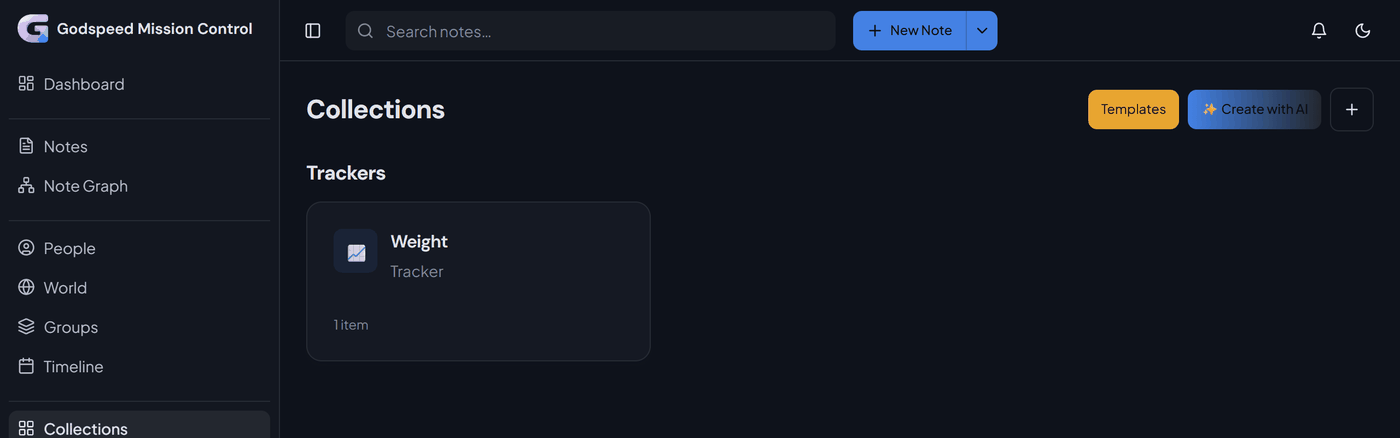
Open the card. Each row is one day, with your weight and a note. Change any row here, or add one with New Item.
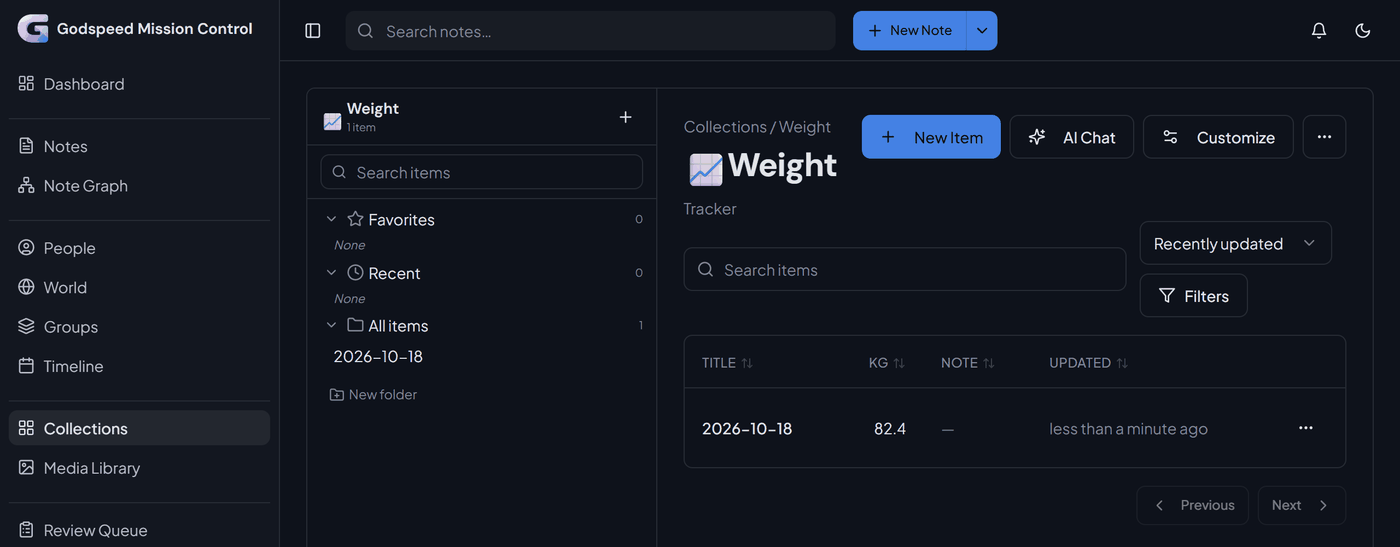
A tracker you leave alone for 30 days moves into a fold called Resting, with every entry kept, until your next "track weight".
Ask how it changed
#The answer comes only from your entries. A coaching talk can look at them too: "The health talk may also look at my weight tracker" (Start a coaching talk).
Track anything else
#The same works for any number, such as track belly 92 cm. Other kinds:
- Several columns: "I want to track my sleep: hours, and quality from 1 to 5" sets up one tracker with both. Later:
track sleep, 7 hours, quality 4. - No number:
track saunaoffers a tracker that counts each time. - A name you choose: answer its question with "call it Waist".
Food, the period, headaches and habits have their own pages: food, period, headaches, habits.
Something wrong or unclear? Tell us on GitHub.