
Make a note and find it again
Have Godspeed file a note for you, comment on it, find it again later, and move it to the trash or back.
On this page
Make a note in the chat
#Open the chat in your notebook, or Telegram on a server installed with the one-line command.
Start your message with "make a note", for example:
Godspeed picks a folder and a title, links the note to related notes, and answers in three short lines, such as:
"note that" and "write this down" work too. Afterwards, "Move that to Work" or "rename it" changes the note.
Write a note yourself
#- Click New Note in the top bar.
- Give it a title and write. It saves as you type, and
[[links to another note by its title.
A few minutes after you stop writing, your AI reads the note. Facts and people it finds wait in the Review Queue for your yes.
Comment on a note
#A comment keeps a remark beside a note without changing its text.
- Open the note and click Comments below it.
- Type in Write a comment and click Add comment. The comment shows with its date and time.
To remove one, click the bin beside it, then Delete.
Find a note again
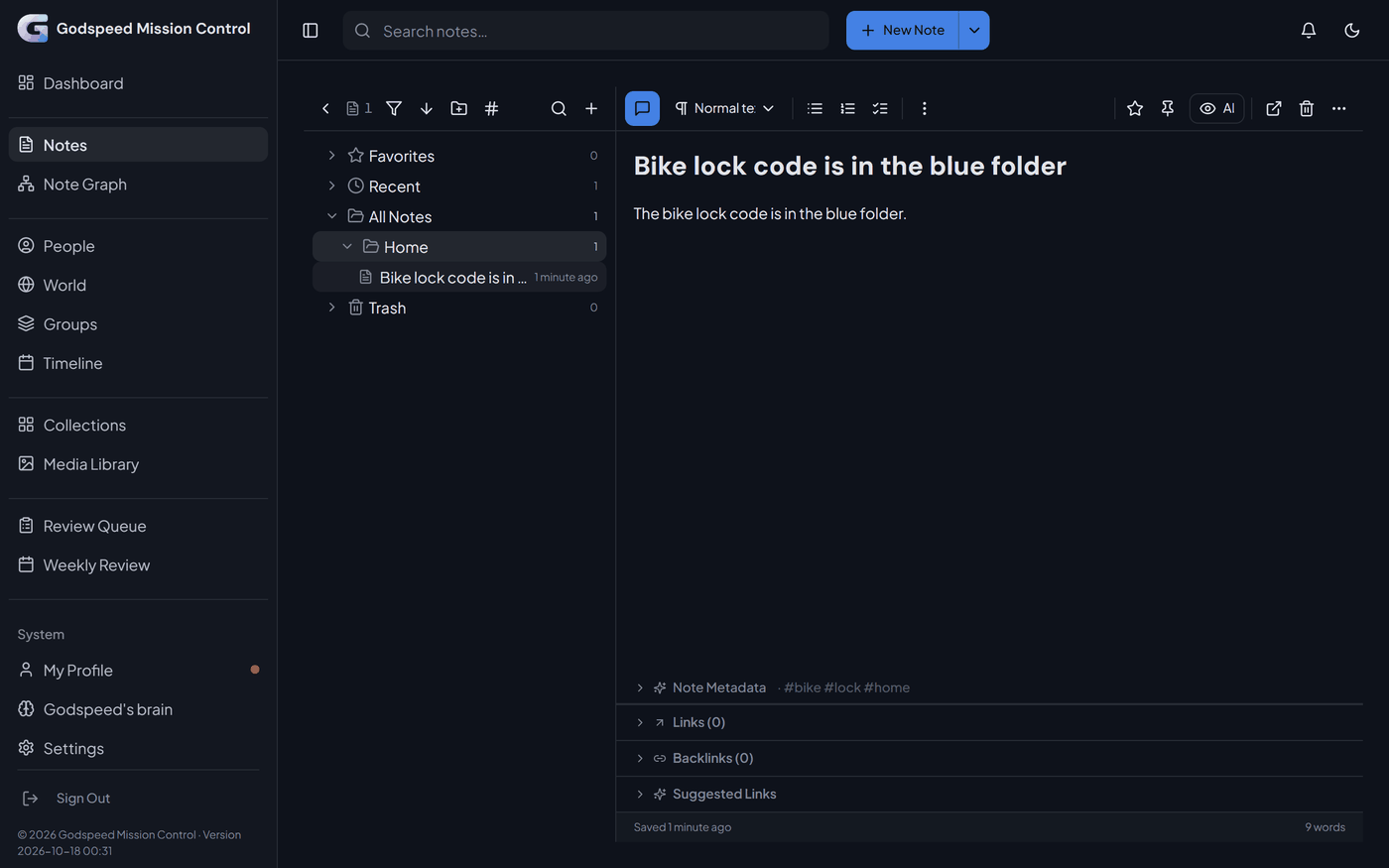
#- Notes, in the sidebar: a tree with Favorites, Recent, All Notes and one entry per folder.
- Search notes… in the top bar finds notes by their words.
- Settings, section Find your knowledge, searches everything the notebook keeps: notes, people, facts, moments and collection items.
- In the chat, ask in your own words: "What did I note about the spare key?"
These searches match your words. To also find what you meant, so that "knee doctor" finds "Orthopedist appointment", connect a service under Settings, Search by meaning. OpenRouter and OpenAI need a key and charge for it; Ollama on this computer is a free program you install, and keeps everything on your machine. What the notebook keeps, and the files in your folder, go to the service you choose, except what you hid from the AI.
Move a note to the trash
#- Open the note and click Move to trash. You see "Note moved to trash".
- To bring it back, open Trash in the notes tree, open the note and click Restore.
While a note is in the trash, the suggestions from it you had not kept leave the Review Queue. They come back when you restore it.
Delete Forever, in the Trash, removes the note from the notebook, and you cannot undo it there. Godspeed deletes a note only when you ask it to.
Related
#Something wrong or unclear? Tell us on GitHub.